Slices & 9-slice
A slice is a named rectangle over part of the sprite — used to mark UI panels, hit boxes, item icons and 9-slice regions for a game engine.
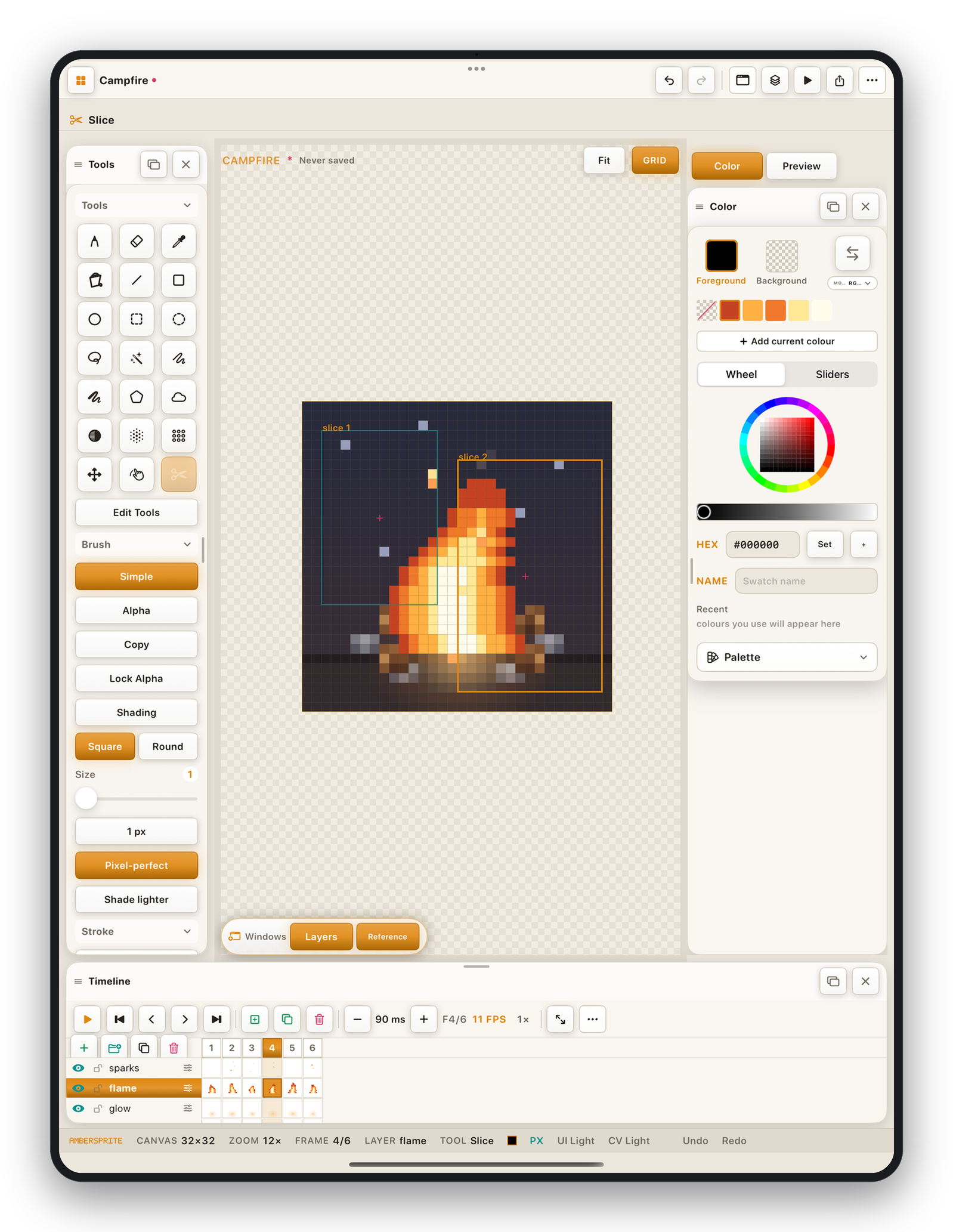
Create a slice#
- Select the Slice tool (enable it via Edit Tools if hidden).
- Drag a box on the canvas. A drag of at least 2 px makes a slice; a pure tap selects the top-most slice under the point instead.
- The slice appears as a cyan rectangle with its name.
The Select ▸ Add Slice command turns the current selection into a slice.
Slice options (tool rail ▸ Extra)#
| Option | Effect |
|---|---|
| Name | Shown on the slice and in exports. |
| NINE | Mark the slice as 9-slice — drag the inner guides to set the non-stretching border, so the engine can scale the middle without distorting the corners. |
| Pivot | The slice's origin point (drag the rose cross, or Center Pivot). |
| Delete Slice | Remove it. |
| Clear All Slices | Remove every slice. |
Exporting slices#
File ▸ Export ▸ Slices writes one PNG per slice (cropped to its rectangle), named by the slice. Slice data — rectangle, pivot, 9-slice borders — is also included in the sprite-sheet and Tiled exports.