The timeline
The timeline is a grid of layers (rows) × frames (columns). The left column is the layer list; every cell across is a cel — that layer's artwork on that frame.
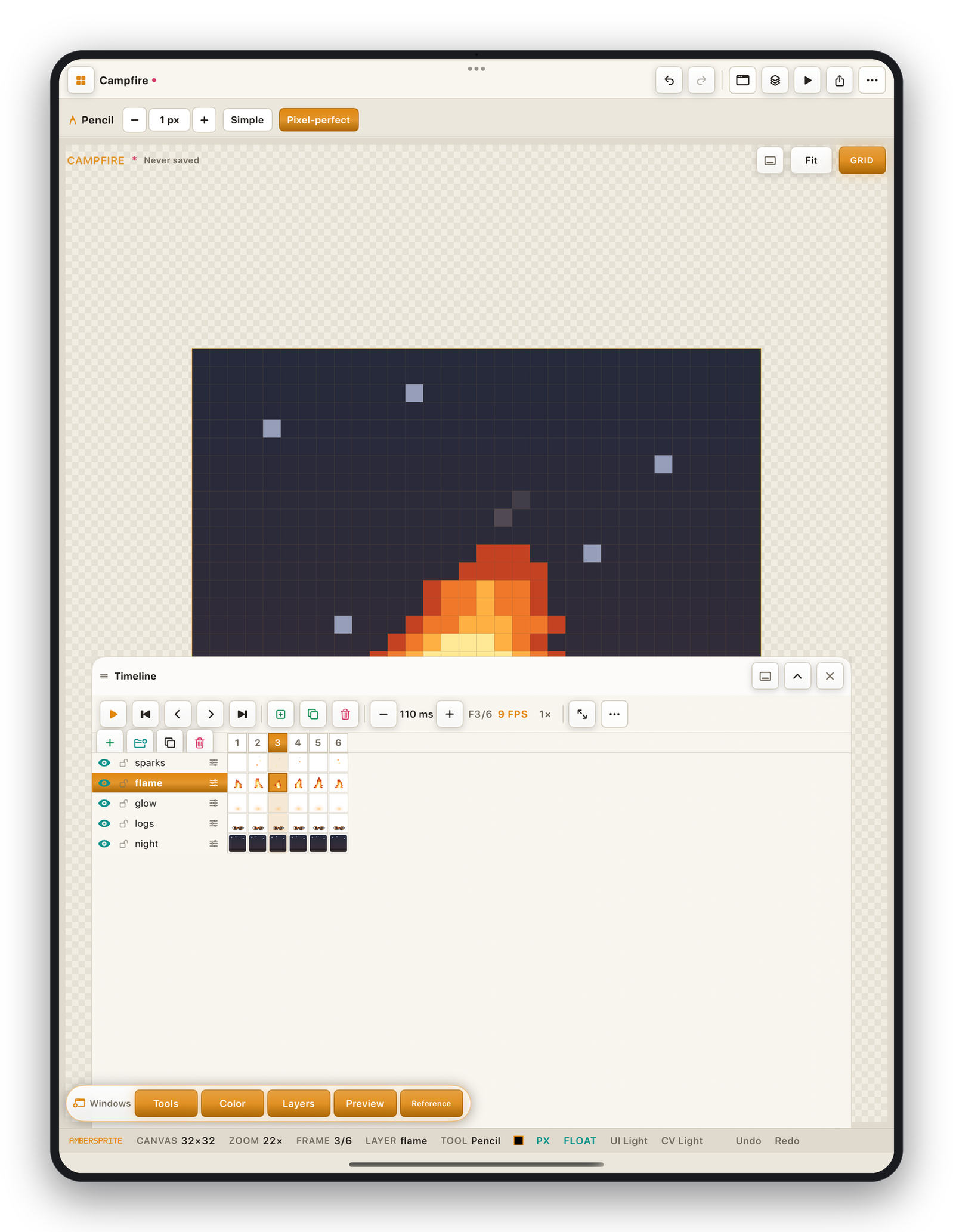
Toolbar#
Left to right:
- **▶ / ⏸*play, **⏮ ◀ ▶ ⏭*frame navigation.
- **+*add frame (copy of current), **+▢*add empty frame, **🗑*delete frame.
- **− [N ms] +*the active frame's duration; the **FPS*and **speed ×*readouts.
- **⤢*cycle cel size (compact / medium / large).
- **⋯*the timeline menu (frame ops, tags, playback, onion skin, cel thumbnails).
The frame ruler#
Each numbered cell is a frame. Tap to select it; drag across to multi-select. The active frame is highlighted; selected frames are tinted. A small L marks a linked cel.
Playback#
- **▶*plays from the current frame (or from frame 1 — toggle in the timeline menu).
- **Speed ×*(0.25×–4×) scales the preview clock; it does **not*change exported frame durations.
- **Return to edit frame*— when playback stops, jump back to the frame you were editing.
- **Loop ∞ / N×*— set how many times a tagged range repeats.
Cel thumbnails#
Timeline menu ▸ Show cel thumbnails draws a mini preview in each cel so you can read the animation at a glance. Toggle off for a denser grid.
Zoom#
The ⤢ button cycles three row heights. On a small screen (Slide Over) the timeline caps its docked height automatically.
Continue with Frames & cels, Onion skin and Tags & playback.