Exporting your work
Tap the share / export button in the top bar for the quick menu, or File ▸ Export… for the full panel.
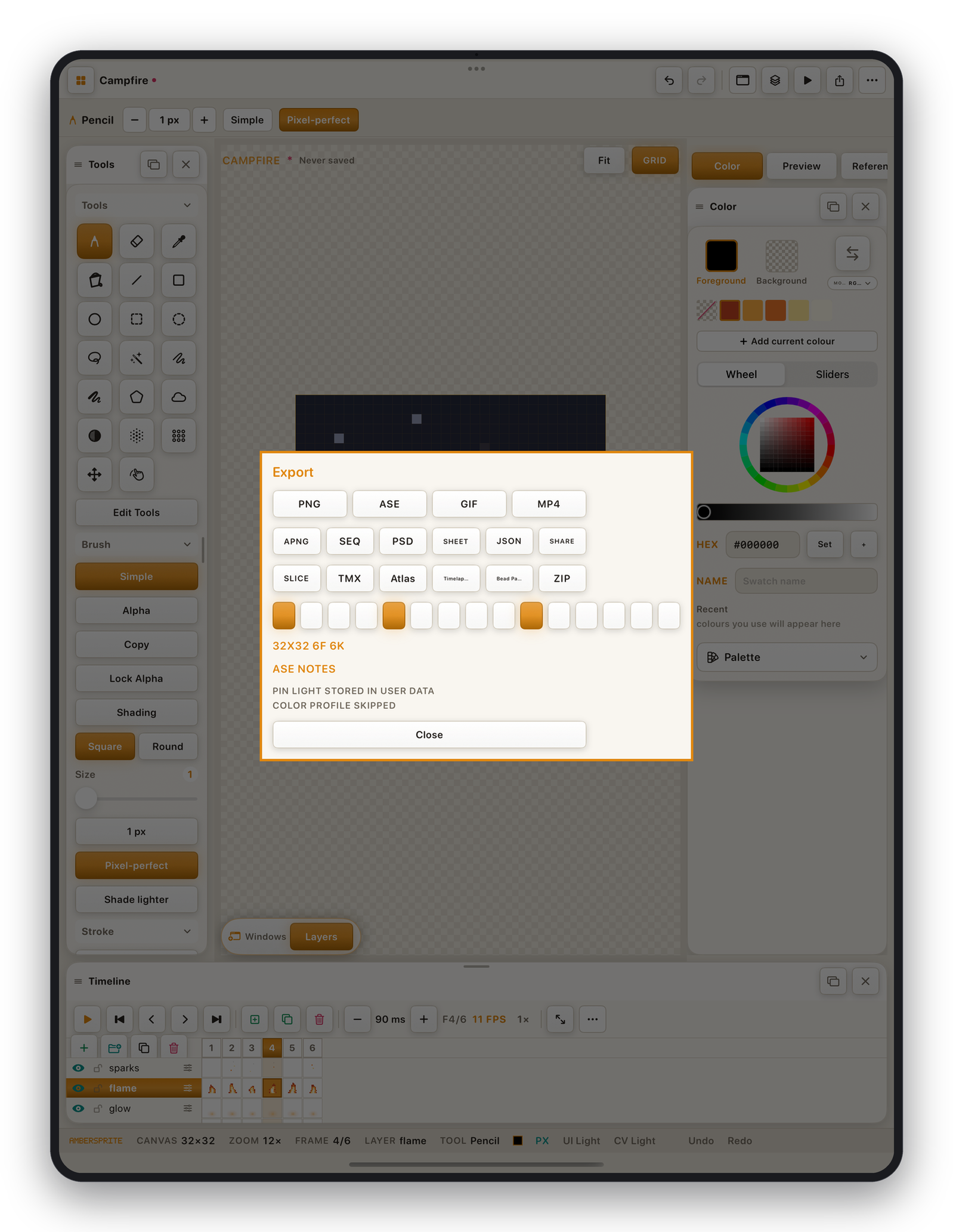
Formats#
| Format | Contains | Use for |
|---|---|---|
| PNG | The current frame, flattened. Transparent, native pixel size by default. | Game sprites, icons — drop straight into Unity / Godot. |
| GIF | The animation. | Sharing, web. |
| APNG | The animation, full colour + alpha. | Higher-quality animated PNG. |
| Video (MP4) | The animation, at any scale. | Trailers, social media. |
| Sprite sheet (PNG) | All frames packed into one image. | Engine sprite sheets. |
| Sprite sheet JSON | Frame rectangles, durations, tags. | Metadata to go with the sheet. |
| PNG sequence | One PNG per frame, in a folder. | Compositing, engines that import sequences. |
| ASE / .aseprite | Layers, frames, tags, palette. | Round-trip with Aseprite. |
| PSD | Layers of the current frame. | Photoshop / other editors. |
| Tiled (TMX / TSX) | The tilemap + tileset with tile properties. | The Tiled map editor. |
| Texture atlas | Packed image + JSON rects. | Generic atlas pipelines. |
| Bead pattern | A colour-per-bead chart. | Perler / Hama bead crafts. |
| Palette (GPL / RPL) | Just the palette. | Other art tools. |
| Batch ZIP | PNG + GIF + sheet + bead in one archive. | Quick "give me everything". |
| Timelapse | A recording of your painting process (if enabled). | Process videos. |
Export settings#
In the Export panel:
| Setting | Effect |
|---|---|
| Scale | 1× exports at native pixel size. Use 2×–8× for a pre-upscaled asset. |
| Background | Transparent (default) keeps alpha — Unity / Godot ready. Set a colour to flatten onto it. |
| Frame range | Export all frames, or just a range / tag. |
| Trim | Crop each frame to its artwork. |
| Dither (GIF) | Error-diffusion dithering for the 256-colour GIF palette. |
| Quantizer (GIF) | Median-cut follows the colour distribution and bands less; fast is quicker. |
| Matte (GIF) | The colour partial-alpha pixels are flattened onto. |
| Loop count | For GIF / APNG / MP4. |
Sprite sheet layouts#
Horizontal, Vertical, Packed, By Tag, By Row — plus columns, margin, padding and a filename template ({name}-{index}).
Where files go#
Ambersprite hands the file to the iOS document picker, so you choose where it's written — On My iPad, a Files folder, iCloud Drive, or straight into another app via the share sheet.
For engine-specific presets see Game engines: Unity, Godot, Tiled.